I’ve been programming for quite some time, and over the years I’ve witnessed remarkable progress in development tools and ideas. The pace of change is amazing—it’s easy to forget how we worked just a few years ago, which made me wonder what it was like to use programming tools in the early 80s. In this blog post series, I will explore the programming tools available during that era, sharing my personal experiences. Additionally, I hope to discuss how these early tools influenced the broader trajectory of software development.
I plan to start with IBM PC DOS 1.00 and move as chronologically as possible. IBM PC DOS 1.00 was released in August 1981 together with the release of IBM PC model 5150. Actually, most of the software products released in first years of IBM PC were done by Microsoft and branded as IBM products. Shortly after the release of IBM PC, Microsoft started releasing the same software with their branding. For example IBM PC DOS was rebranded as MS-DOS. The same is true for IBM Personal Computer MACRO Assembler 1.00 released in December 1981 which is the topic of this blog post. In later years it became much more popular as Microsoft Macro Assembler (MASM). Actually, MASM 5.0 was the first assembler I used in my teenage years. That’s why I decided to start with IBM Personal Computer MACRO Assembler 1.00 as I can later compare it with MASM 5.0. After this decision, it was time to decide what I should code. At the end I decided to draw Mandelbrot set on the screen. Back in 80s fractals were all the rage. Also, plotting fractals is computationally expensive operation so it is a good choice to code in assembly language. I’ve found a nice implementation for VGA and decided to port it for CGA. This would allow me to get firsthand coding experience without spending too much time.
Part 1 – Hard and ugly
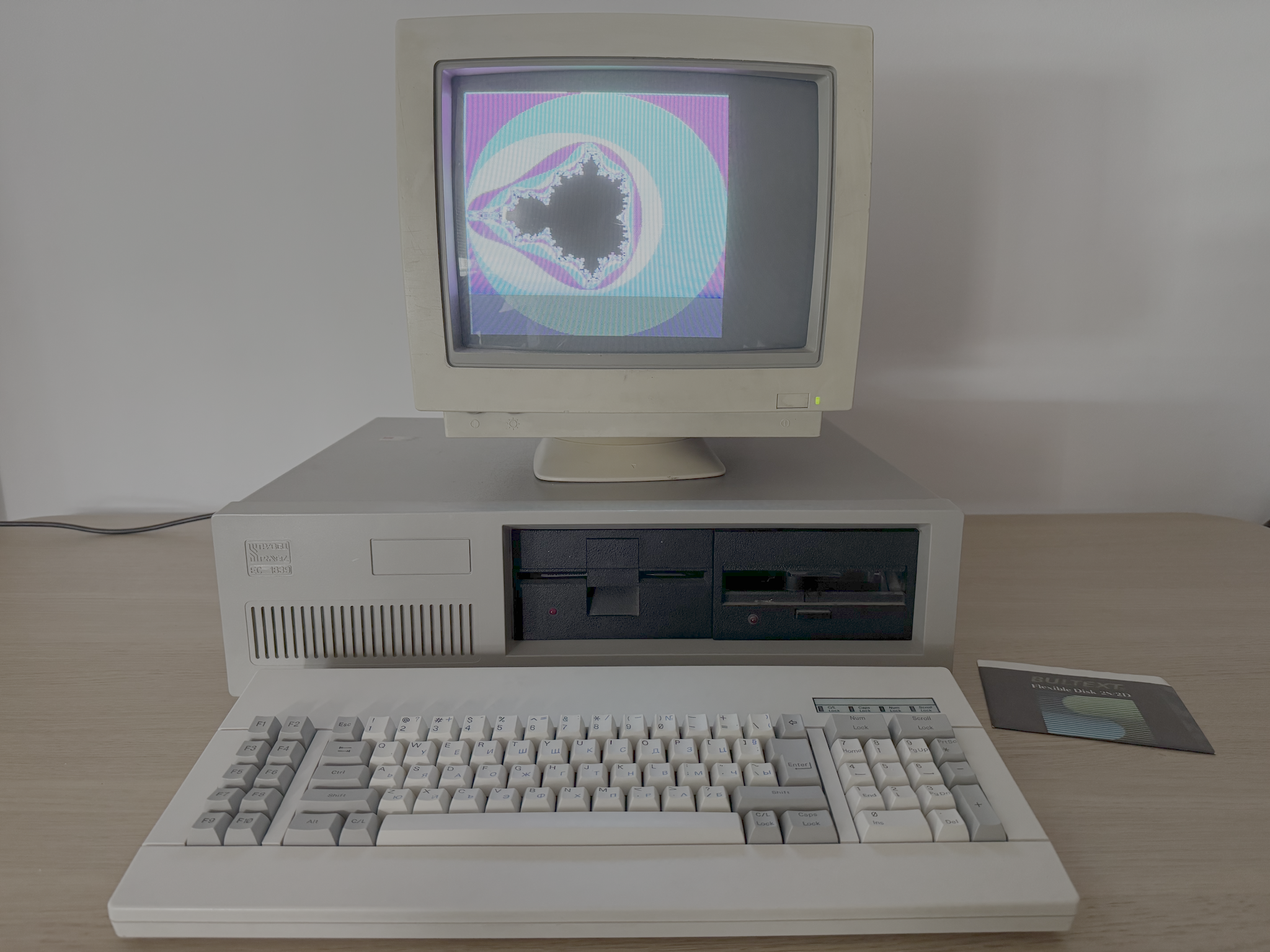
To make the experience as authentic as possible I decided to use my Pravetz 16 which is a Bulgarian IBM PC clone (see the picture at the end). It has two 360KB floppy drives, 256KB RAM and CGA graphics card. The monitor is cheap one made in China. The first real hurdle was the preparing of a floppy disk with IBM PC DOS 1.00. That endeavor deserves a whole another blog post. After half a day I had prepared a 160KB floppy disk with minimal IBM PC DOS 1.00 setup and MASM.EXE from IBM Personal Computer MACRO Assembler 1.00. My idea was to use EDLIN as text editor. This turned out to be a big mistake. Constantly switching between editing a single line and listing the source code was killing my brain. This became apparent just after 20 minutes of work. I suspected that EDLIN is not up to the task of serious coding, but I only had to modify existing VGA code to use CGA instead. How hard it can be? I decided to experiment and see how further I can go. After another 20 minutes I gave up. It was time for a reflection. I had a relatively simple task at hand. Considering the context and all limitations converting the existing code from VGA to CGA was a straightforward task. Still 40 minutes were not enough. Granted, changing optimized assembly code sometimes can be challenging but I was doing obvious bugs just because my “view” into the code was too narrow for me. Showing only 20ish lines of code requires keeping a mental model for the rest of it in my head. Don’t get me wrong. I am not talking about superhuman capabilities. I am sure I can relearn to do it with a couple weeks of practice. Nowadays I am too spoiled using modern development features like instant back and forth navigation between classes, methods, functions, call sites and so on. Even simple things like hovering a mouse over a method or function invocation is enough to provide valuable context information.
Part 2 – Soft and cozy
I decided to use DOSBox for development and use my Pravetz 16 for testing the binaries. This setup enabled me to use VSCode for editing. One problem solved. It would be too good if the story ends here. The first time I tried to compile the code it turned out that MASM.EXE hung and never produced OBJ file. Thankfully it was a well-known problem back in 1984. There is a fantastic document Notes and Observations on IBM PC-DOS and Microsoft MS-DOS Releases 2.0 and 2.1 by John Chapman. In the section “Assembler Tips” there is a patch for correcting invalid comparison for memory size in MASM.EXE. Seach the document for “masm.xxx” and apply the patch. The SHA-1 of the original MASM.EXE I used is 9568c06ba158c1fcc17b11380c0395d802b4bc08 and SHA-1 for the patched file should be 9f3383d2cb19bc4a78fa90b7a3f26bf3686e48ad. Thank you, good people from the past! This was the second time for reflection. I must say I have clear memories of reading computer magazine articles back in the 80s and early 90s that provide this kind of user support. People were sharing guides and troubleshooting. There was a common understanding, a hacking culture, and people were encouraged to tinker with hardware and software. Nowadays due to the increased complexity of hardware and software this is much less common.
Part 3 – Hello, Marty!
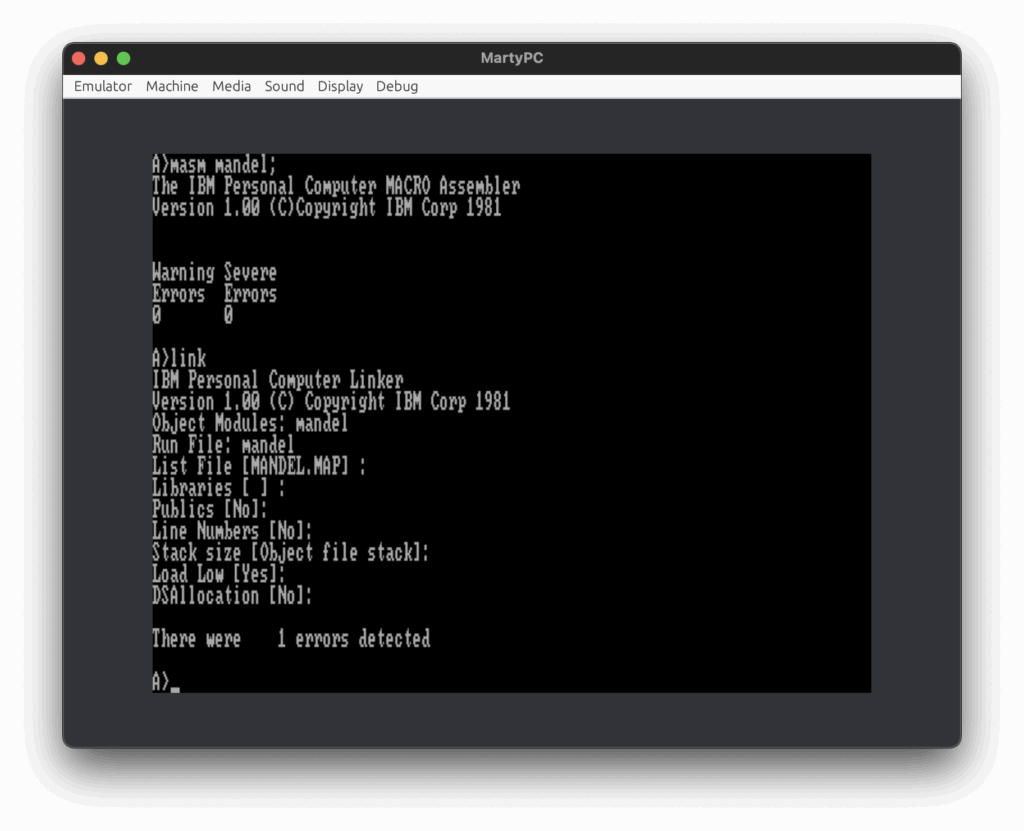
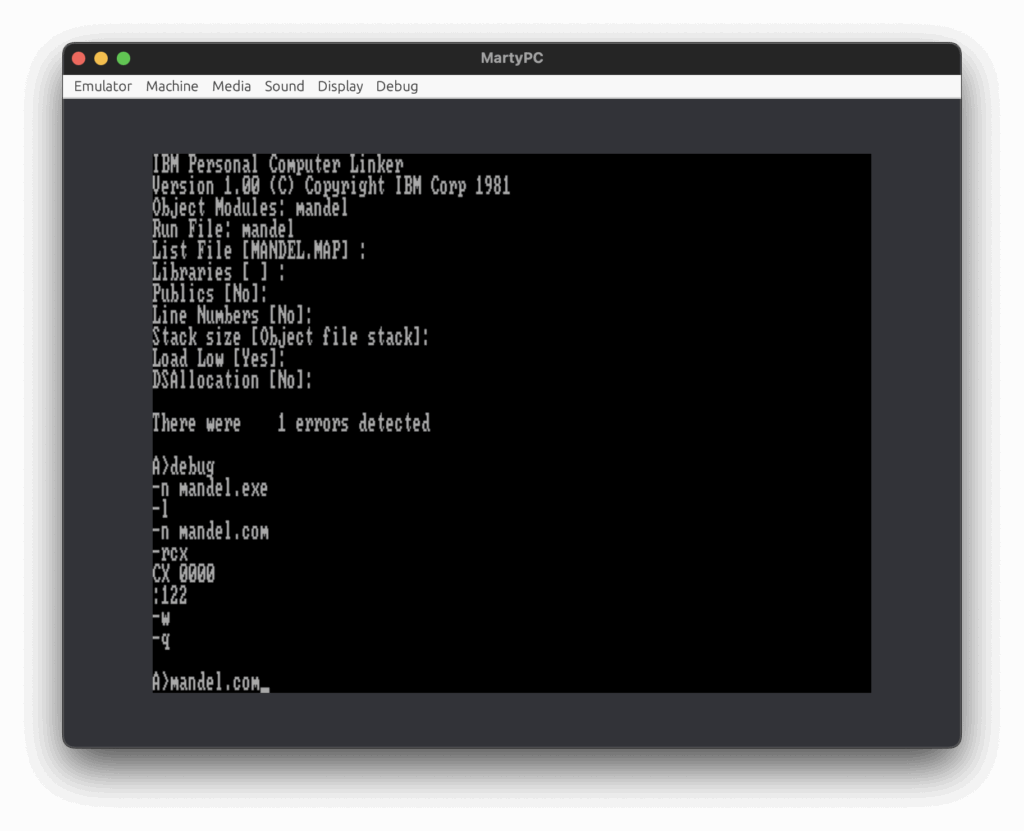
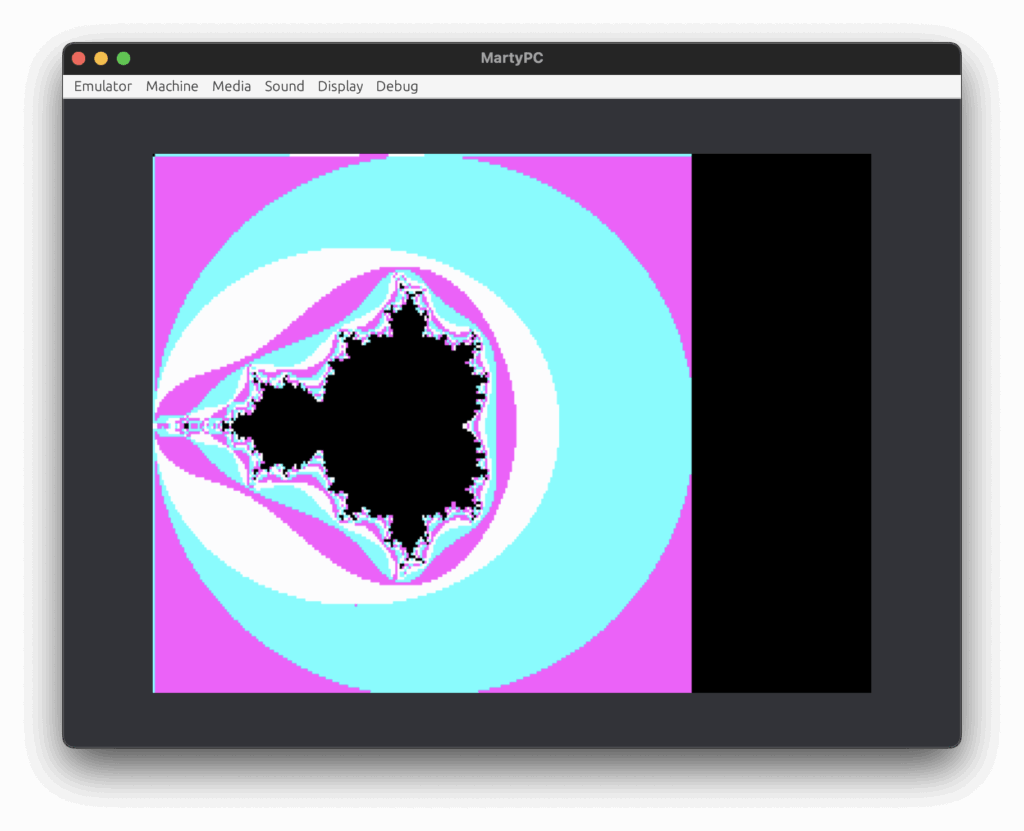
Once I had MASM.EXE working in DOSBox I fixed all my bugs and I was ready to test the program on my Pravetz 16. The program run fast in DOSBox but I had to be sure it will run well on real hardware as well. Also, DOSBox has relatively bad compatibility with IBM PC. So, on one hand I wanted to use real hardware and on the other hand I said earlier how difficult working with floppy disks was. This is when I started looking for IBM PC emulators. This would allow me fast development cycle before I finally run the program on real hardware. This is how I’ve found MartyPC. It claims extremely high cycle accuracy with the original IBM PC, so I decided to give it a try. Everything went smoothly and here are screenshots of the required steps to build and run the code.

Part 4 – Hello, PCjs!
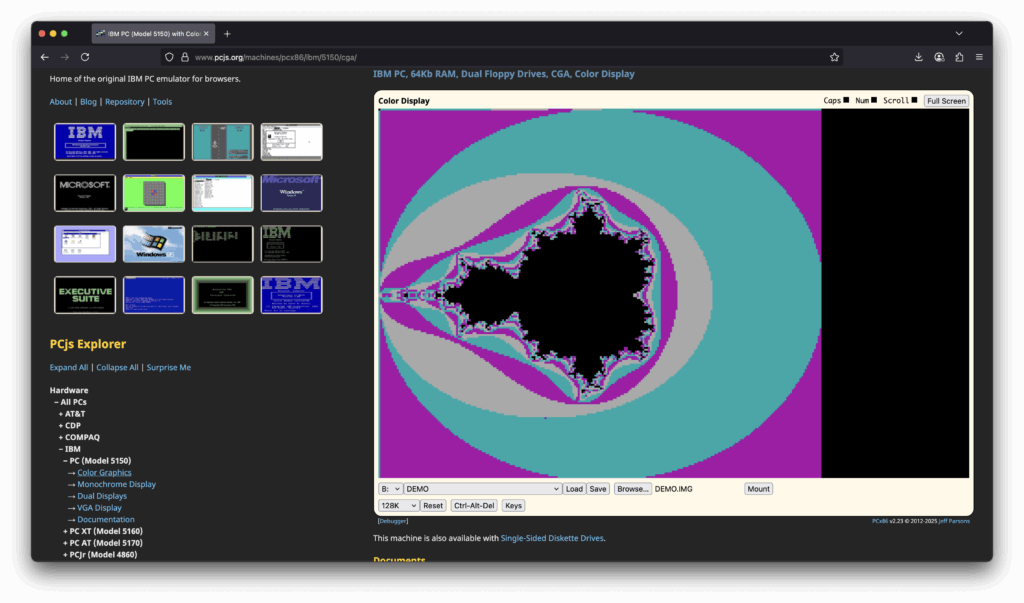
As an alternative of MartyPC I would recommend www.pcjs.org This site provides many IBM PC emulators that you can run in the browser.
Part 5 – We speak the same language
What about the IBM Personal Computer MACRO Assembler 1.00 compiler? It is very limited. It does not support 8087. As I said my first experience with assembly language was MASM 5.0 released in 1987. Having in mind the age gap between both products, it is fair to say that MASM 5.0 has much better error messages and supports multiple CPUs. It is faster and provides better development and debugging tools (hello, CodeView). But in the end, I was happy with IBM MASM 1.00. It did the job. The source code is here.
Part 6 – Hello, Pravetz 16!
I enjoy working with real hardware. The sound of floppy drive is kind of calming. The noise of the power supply fan is soothing. The static of the CRT monitor has its own charm. Sadly, today I didn’t spend much time working on real hardware as I was defeated in the battle with EDLIN, but I am still committed to try again. I think using EDLIN will be OK for working with high level languages, so I will try it again for my next project.