In this post we will take a look at IBM Personal Computer COBOL version 1.00. It was released in March 1982 and was written by Microsoft. Unlike the previous languages from this blog post series, I knew nothing about COBOL until a month ago. I still don’t know much about it, but so far learning and working with it has been a pleasant experience. As with the previous posts, this post is not going to be about COBOL but rather about my experience with it and things it provoked me to think about.
There are many ways to learn a programming language. Usually, I start with the official language documentation and quickly move to online tutorials. This time I decided to combine reading of the official IBM documentation with two era-correct books “COBOL for the IBM PC” by Pacifico A. Lim and “Programming the IBM Personal Computer: COBOL” by Neill Graham. I spent the last few weeks writing around 50 programs, and I’ve started to get a feeling of what idiosyncratic COBOL looks like. I know there is a bad wrap around COBOL, but as I said, I enjoyed it. It made me curious to learn more about it and this rarely happens when I work with today’s frameworks and languages. Nevertheless, working with a language that has more than 300 keywords can be challenging. This might be the reason why Edsger Dijkstra had a negative view about COBOL. On the other hand, organizations like Gartner provided reports in 2010s claiming there are 100-200 billion lines of COBOL in production. If true, this begs the question of whether COBOL is a “bad” language. So far it seems that COBOL is suitable for enterprise business applications. Considering the fact that the latest COBOL standard is from 2023 I don’t consider it a dead language.
I have to say that I had a difficult time deciding what program to write for this post. COBOL is often said to excel in batch processing, transaction processing, and reporting. As I said, I wrote around 50 programs, some of which were over 2000 lines of code. At the end, I decided to write a short COBOL batch processing program and some MASM code for CGA graphics reporting.
I follow the same floppy disks organization as the one for IBM PC Pascal 1.00 and IBM PC Fortran 1.00.
- Disk 1 (bare minimum PC DOS 1.00)
- COBOL.COM
- COBOL1.OVR
- COBOL2.OVR
- COBOL3.OVR
- COBOL4.OVR
- EDLIN.COM
- Disk 2
- COBOL1.LIB
- COBOL2.LIB
- COBRUN.EXE
- COMMAND.COM
- LINK.EXE
- Disk 3 (IBM PC MASM 1.00)
- Disk 4
- Source code
- COMMAND.COM
I guess I was lucky to try IBM PC COBOL right after IBM PC FORTRAN as both languages follow fixed program format.
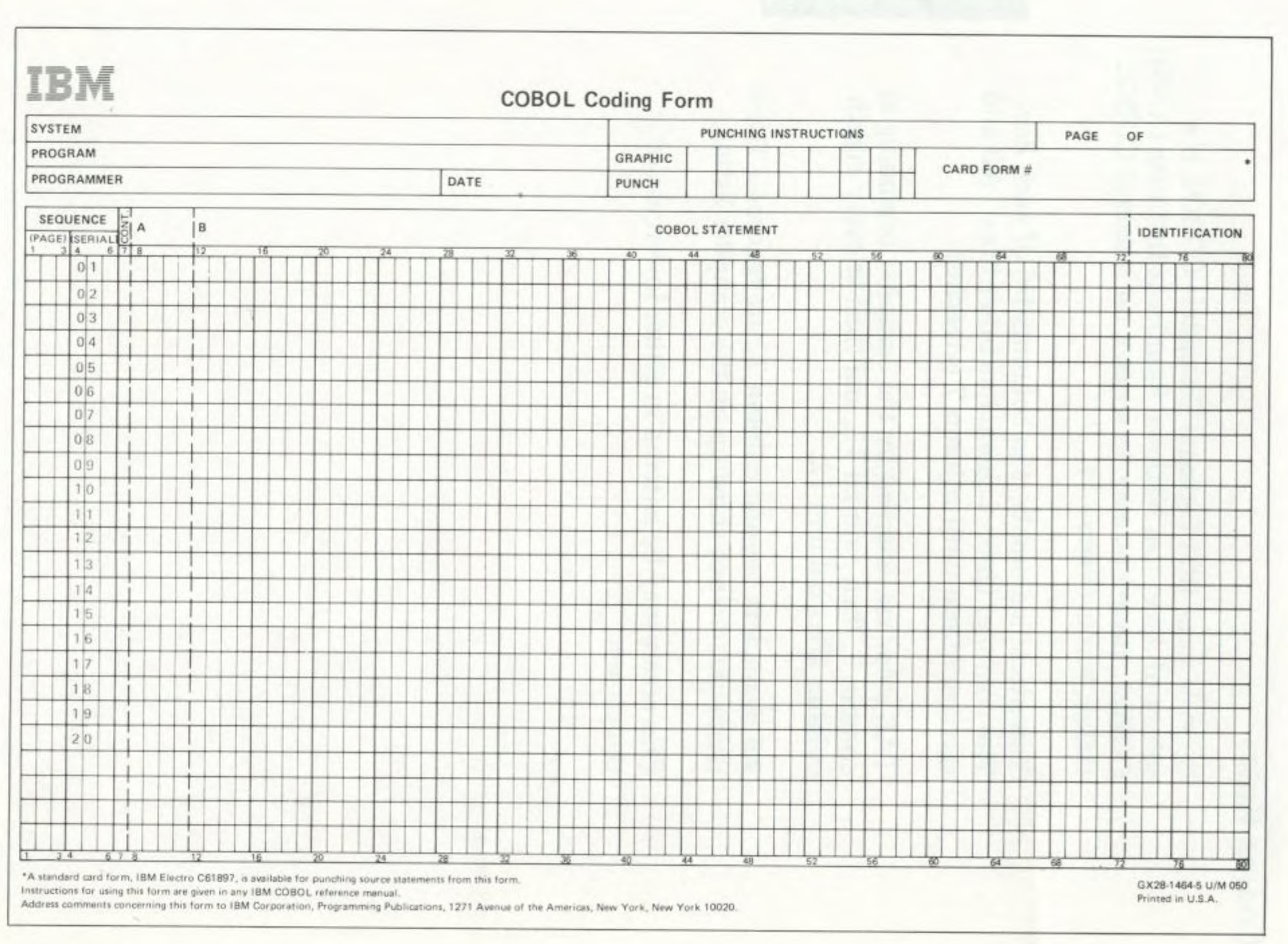
As with the previous projects, I used EDLIN and I can say it is good enough for high level language as COBOL. It’s kind of funny but working on a physical CRT monitor helped me develop a “visual” sense where 72nd column is.
A few words about the compiler. It is slow. The error messages are good enough to give you a clue what is wrong. The program’s organization of divisions, sections, paragraphs, sentences, and statements helped a lot, and there were not many compiler errors.
The program reads DATA.TXT file, groups the data, and presents the result as text and graphical reports.
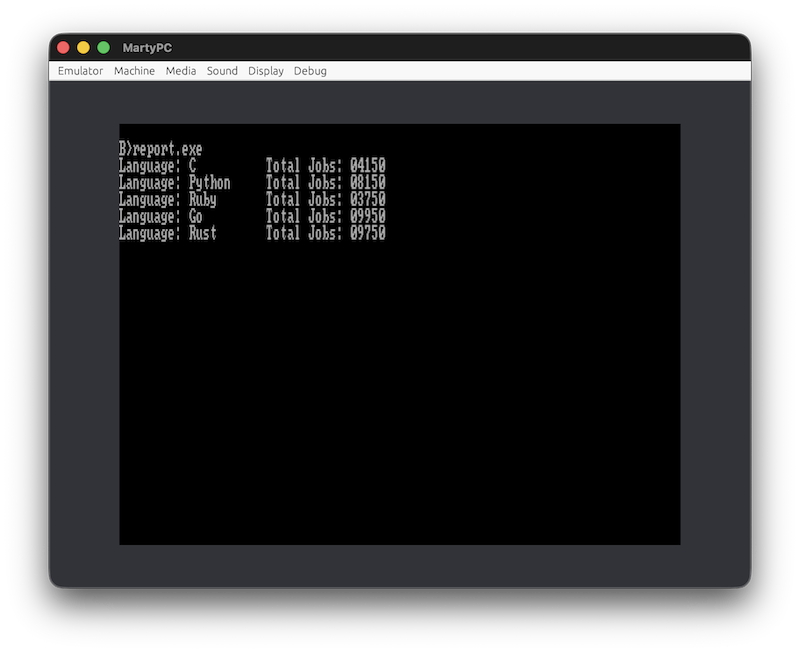
You can edit the data to generate different reports.

While I was preparing the disk images just before publishing this post, I decided to test them in MartyPC emulator. To my surprise, while DISPLAY was working correctly on my Pravetz 16 with VDC-3 CGA video card, a Bulgarian clone of Juko G7, it was printing gibberish on MartyPC emulator. For that reason, I had to implement PRTSTR (print string) functionality in MASM. I hope this implementation will work correctly on other CGA cards.
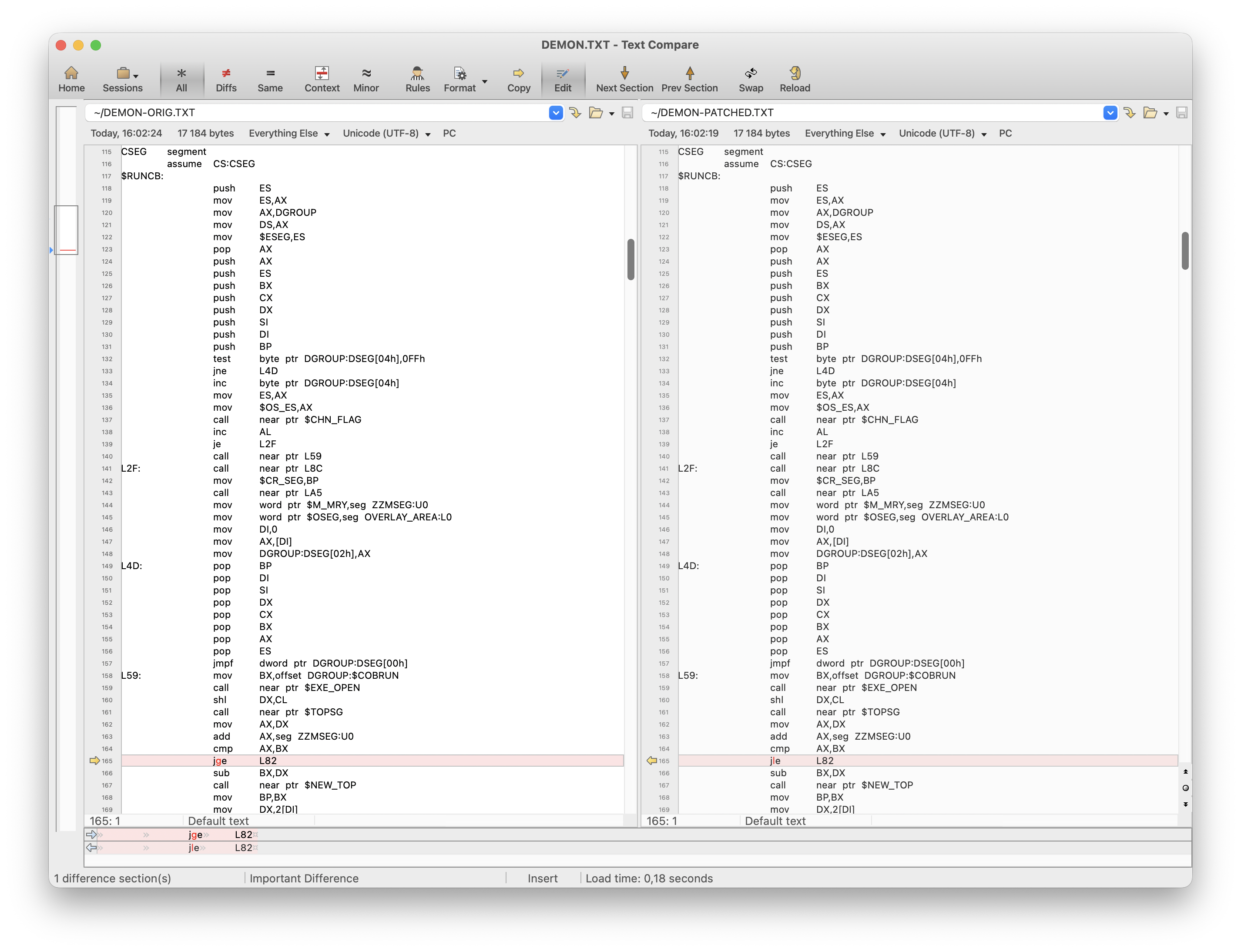
Another potential problem would be running the program on a PC with 640KB RAM or environments like DOSBox. I touched on this problem in the first blog post of this series. Here is a workaround for this problem.
debug cobol2.lib
-s 0 fff c3 7d 15
xxxx:0920
-e 921
xxxx:0921 7D.7E <===== enter 7E
-w
-q
This will change specific jump instruction from JGE to JLE. Keep in mind that using this patch will prevent running COBOL programs on a PC with less memory.
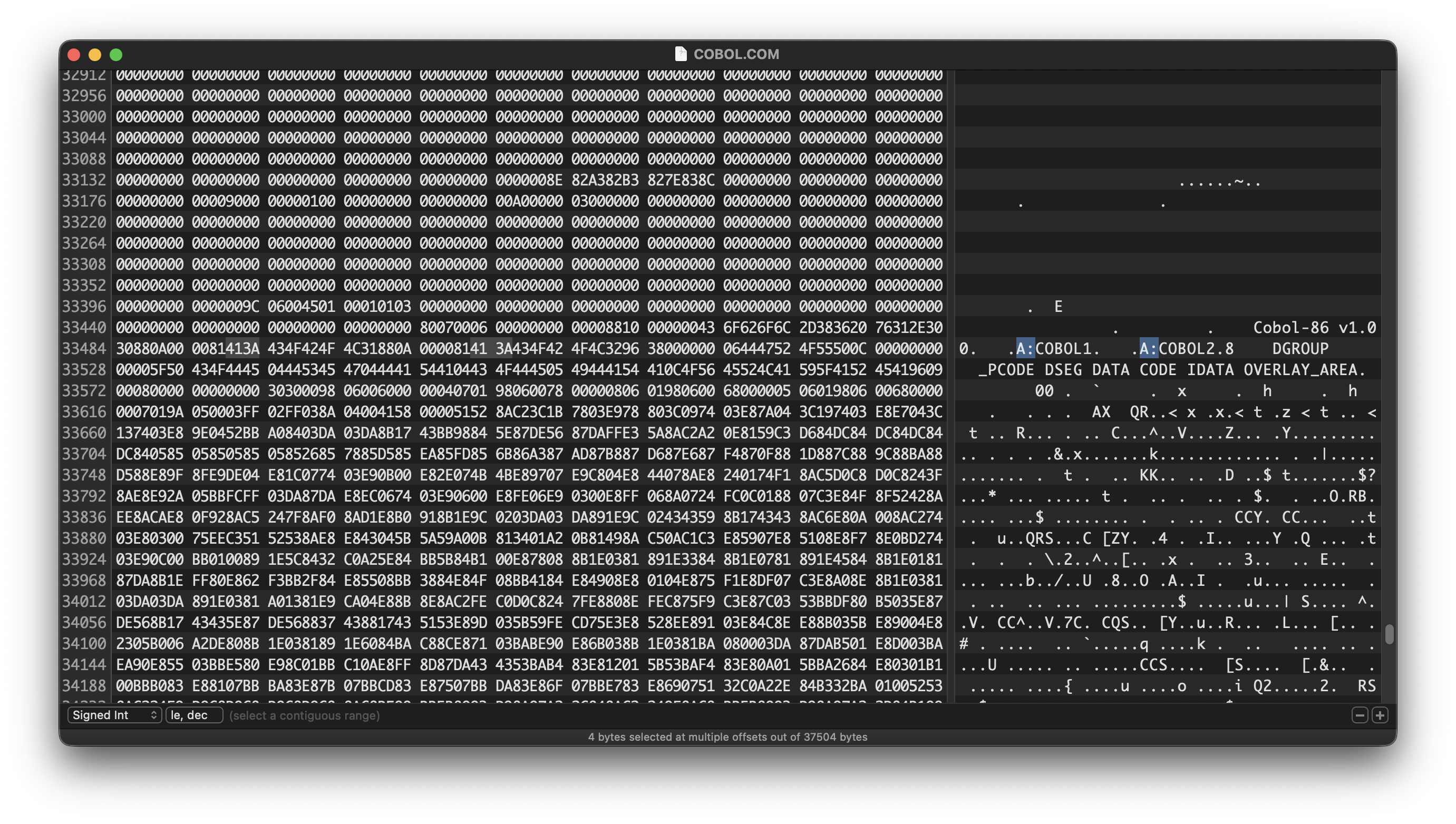
In case you want to make your compiling and linking experience better on a hard disk drive, you may want to change some "A:" hard coded file paths.
Having said all that, you may wonder what the point of existing IBM PC COBOL is, and you won’t be alone. I don’t think COBOL had great applications on PC. COBOL is meant for enterprise business applications. In my opinion, although never explicitly said IBM Personal Computer was targeted both as business and home computer. IBM PC can be used with customer-supplied cassette recorder, it has joystick support, and it can be attached to customer-supplied color or black and white TV. Hence, “personal” is in the name. In my opinion, COBOL was never a good fit for the dual nature of IBM PC. On the other hand, I may be completely wrong considering the existence of IBM PC XT/370. According to Wikipedia, XT/370 reached 0.1 MIPS at price $12,000 while, for example, IBM 4341 delivered 1.2 MIPS for $500,000. This makes XT/370 3 times more cost efficient than a mainframe. On the other hand, I don’t think it is realistic running CICS with COBOL programs on IBM PC. Bill Gates also provides an interesting take on IBM PC. According to him, IBM was unsure about the future of PC, and he was pushing IBM to consider the PC as business computer by making sure Microsoft provided languages as FORTRAN and COBOL. As a matter of fact, as a kid I do remember a handful of programs distributed with COBRUN.EXE but it is fair to say that they were rare.
In closing, I think there were a few reasons for products like IBM PC COBOL at that time. In fact, I think it makes more sense for COBOL on PC nowadays than in the 80s. But those were the days.