This is the second blog post in the series, and this time I am going to explore what was like to program for IBM Personal Computer Pascal 1.00 during the early 80s. Well, that was mouthful. From now on, I will refer it as IBM Pascal 1.00. According to its documentation it was released in August 1981, probably with the release of IBM PC. Similarly to other IBM products from that time, IBM Pascal 1.00 is Microsoft product rebranded for IBM.
This time I am strongly committed to work on real hardware, namely my Pravetz 16 mentioned in the previous blog post from this series. This means using EDLIN for editing regardless of how uncomfortable it can be. My idea is to get authentic experience as close as possible to what was in 1981.
The first thing I had to decide was what program to write. It had to be suitable for PC DOS 1.00 and preferably not too big. Finally, I decided to write MORE command which would be part from PC DOS 2.00 and later versions.
I started by reading the official IBM Pascal 1.00 documentation. It’s almost 500 pages so I did a focused reading on the most important chapters. Chapter 2 turned out to be a critical one as it explained how to organize floppy disks with compiler tools, linker and so on. As with my previous project for IBM MASM 1.00 I really struggled with making the required floppy disks. I ended up with 5 160KB floppy disks organized as follows:
Disk 1:
- Bootable PC DOS 1.00 (bare minimum, EDLIN)
- PAS1.EXE
- PASKEY
- FILKQQ.INC
- FILUQQ.INC
- ENTX6S.ASM
Disk 2:
- PAS2.EXE
- COMMAND.COM
Disk 3:
- IBM MASM 1.00
Disk 4:
- PASCAL.LIB
- PASCAL
- LINK.EXE
- DEBUG.COM
- COMMAND.COM
Disk 5:
- Source code
- COMMAND.COM
I followed the file organization suggested in the documentation. The main idea is that Disk 5 should be always in floppy drive B: and I should change floppy disks in drive A: Operating with 5 floppy disks on nearly 30 years old hardware is not fun. As the last time, my biggest problem was that the floppy disks I used were very worn and write operations were quite iffy.
However, I can imagine working with floppy disks back in 1981 would be totally fine. After all, the first release of IBM PC did not have a hard disk. Because of that there were some interesting decisions made by IBM/Microsoft. In particular there is a hardcoded file path to A:PASKEY in PAS1.EXE. This gives me an opportunity to write on a topic close to my heart that I touched on in my previous blog post. Namely the hacking culture. Back then it was (kind of) expected that when a software does not work as expected you should try to fix it. This is clearly shown in the book “Programming the IBM Personal Computer: Pascal” by Neill Graham.
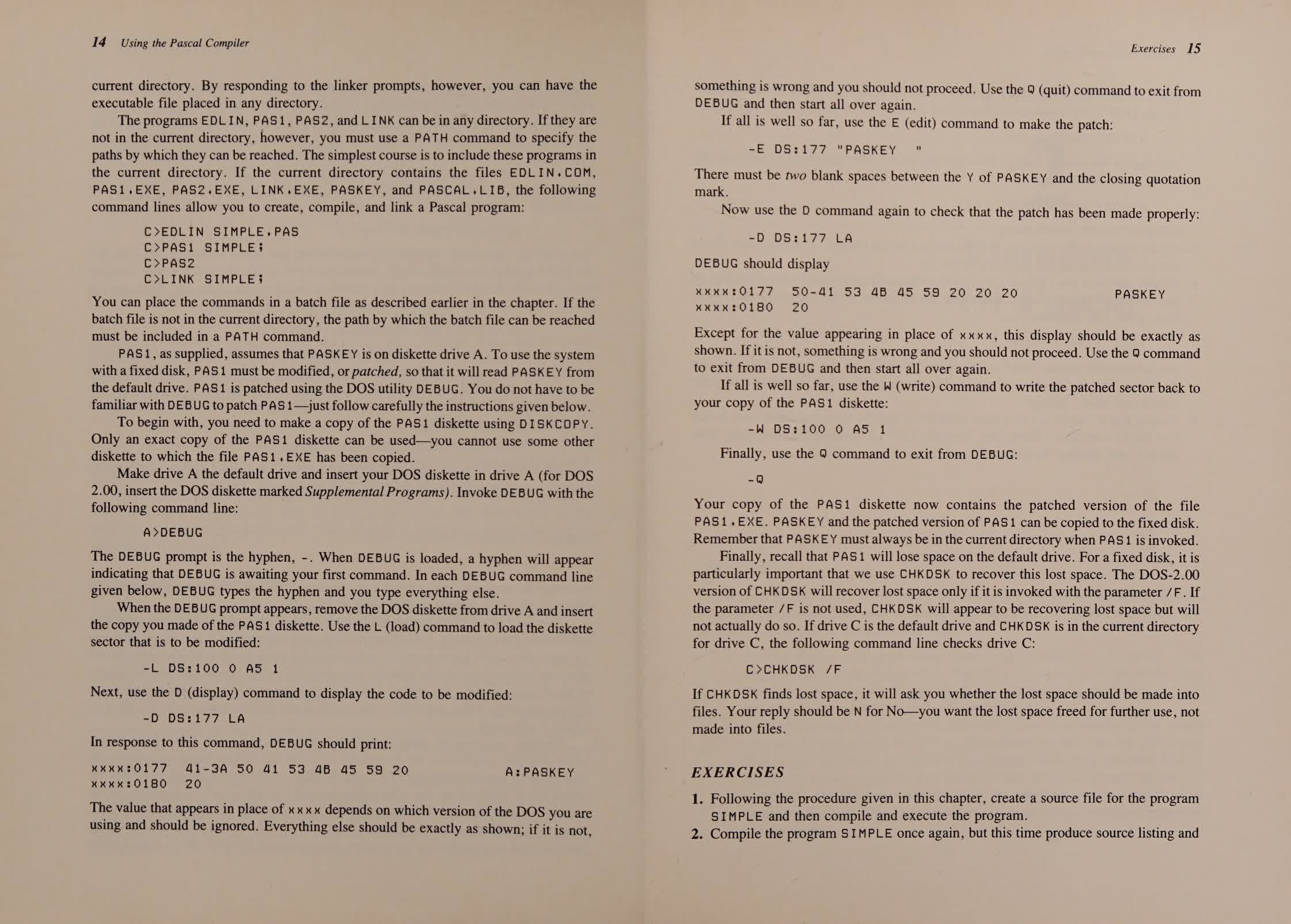
As I discussed in my previous blog post, manually patching software was somewhat frequent practice. Back then hard drives were expensive, and I can imagine a situation where one has paid a lot of money for hardware, and one would like my software to make the most of it. Unfortunately, or fortunately (because PC DOS 1.00 does not support hard drives), I don’t have hard drive, so I didn’t have to patch PAS1.EXE file. If PC DOS 3.00 or newer is used I would suggest using SUBST command.
Now, let me explain the actual workflow I used.
- Insert Disk 5 into drive B:
- Boot into DOS from Disk 1
- Switch to drive B:
- Run A:EDLIN MORE.PAS and work for a while
- Run A:PAS1 MORE; and check the result for errors
- Repeat last two steps until I feel confident enough to run the program
- Insert Disk 2 into drive A: and run A:PAS2
- Insert Disk 3 into drive A: and run A:MASM UTIL; (this is one-time operation as the assembly code is quite simple and the OBJ file must be produced once)
- Insert Disk 4 into drive A: and run A:LINK
- Run MORE.EXE and test the result
- (Insert Disk 1 into drive A: and repeat the process of editing with EDLIN)
As you can see, there is a lot of switching disks into drive A: It turned out this is not a problem as editing Pascal code with EDLIN was the main task. And frankly it was OK, almost a nice, experience. The primary distinction between editing with EDLIN assembly language and Pascal lies in the greater expressiveness offered by latter. Pascal, as a high-level language, offers strong abstraction that simplifies reasoning and so there is less need for editing/experimenting/testing loop.
Another thing I want to share my experience about is the documentation. IBM provides amazing documentation. I’ve read documentation from many software vendors, but none compares to the documentation provided by IBM. There are so many examples of software documentation that emphasize on formality and correctness, but IBM beats them all. I cannot pinpoint what makes IBM documentation unique, but it has something to do with vocabulary. They clearly create documentation for businesses rather than end-users, and their tone is intentionally serious. Whatever it is, I appreciate reading their documentation.
The last thing I want to write about is the speed of the compiler tools and the linker. I was surprised how much time it takes to compile and link such a small program. My IBM PC clone has 256KB RAM which I suspect is enough to load all the source code, the AST and the related data in memory. I guess it should be something to do with the (in)efficiency of the algorithms used by the compiler tools. Turbo Pascal 1.00 was released in 1983 and it is blazingly fast compared to IBM Pascal 1.00. It would be interesting to dig into the issue sometime in future.
Finally, this time I am going to provide a screenshot from MartyPC instead of taking low quality picture with my mobile phone. Unfortunately, IBM PC DOS 1.00 does not support TSR programs so I cannot use off-the-shelf software to capture the screen. Technically, it can be implemented even on PC DOS 1.00 so it might be an opportunity for a future blog post.
