Yesterday I worked on a pet project and I needed to read some large files in an asynchronous manner. The last time I had to solve similar problem was in the times of .NET v2.0 so I was familiar with FileStream constructors that have bool isAsync parameter and BeginRead/EndRead methods. This time, however, I decided to use the newer Task based API.
After some time working I noticed that there was a lot of repetition and my code was quite verbose. I googled for an asynchronous I/O library and I picked some popular one. Indeed the library hid the unwanted verbosity and the code became nice and tidy. After I finished the feature I was working on, I decided to run some performance tests. Oops, the performance was not good. It seemed like the bottleneck was in the file I/O. I started JustDecompile and quickly found out that the library was using FileStream.ReadAsync method. So far, so good.
Without much thinking I ran my app under WinDbg and set breakpoint at kernel32!ReadFile function. Once the breakpoint was hit I examined the stack:
0:007> ddp esp
0577f074  720fcf8b c6d04d8b
0577f078  000001fc
0577f07c  03e85328 05040302
0577f080  00100000
0577f084  0577f0f8 00000000
0577f088  00000000
Hmm, a few wrong things here. The breakpoint is hit on thread #7 and the OVERLAPPED argument is NULL. It seems like ReadAsync is executed in a new thread and the read operation is synchronous. After some poking with JustDecompile I found the reason. The FileStream object was created via FileStream(string path, FileMode mode) constructor which sets useAsync to false.
I created a small isolated project to test further ReadAsync behavior. I used a constructor that explicitly sets useAsync to true. I set the breakpoint and examined the stack:
0:000> ddp esp
00ffed54  726c0e24 c6d44d8b
00ffed58  000001f4
00ffed5c  03da5328 84838281
00ffed60  00100000
00ffed64  00000000
00ffed68  02e01e34 00000000
00ffed6c  e1648b9e
This time the read operation is started on the main thread and an OVERLAPPED argument is passed to the ReadFile function.
0:000> dd 02e01e34
02e01e34  00000000 00000000 04c912f4 00000000
02e01e44  00000000 00000000 72158e40 02da30fc
02e01e54  02da318c 00000000 00000000 00000000
0:000> ? 04c912f4
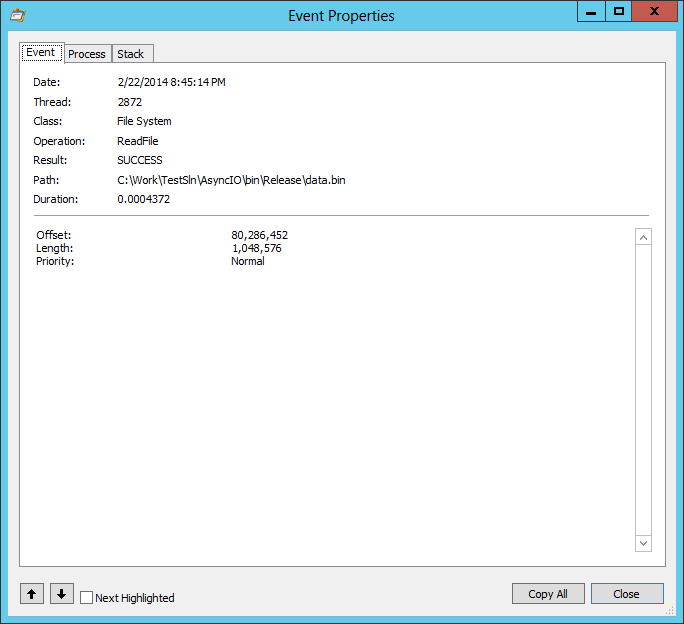
Evaluate expression: 80286452 = 04c912f4
A double check with SysInternals’ Process Monitor confirms it.
I emailed the author of the library and he was kind enough to response immediately. At first, he pointed me to the following MSDN page that demonstrates “correct” FileStream usage but after a short discussion he realized the unexpected behavior.
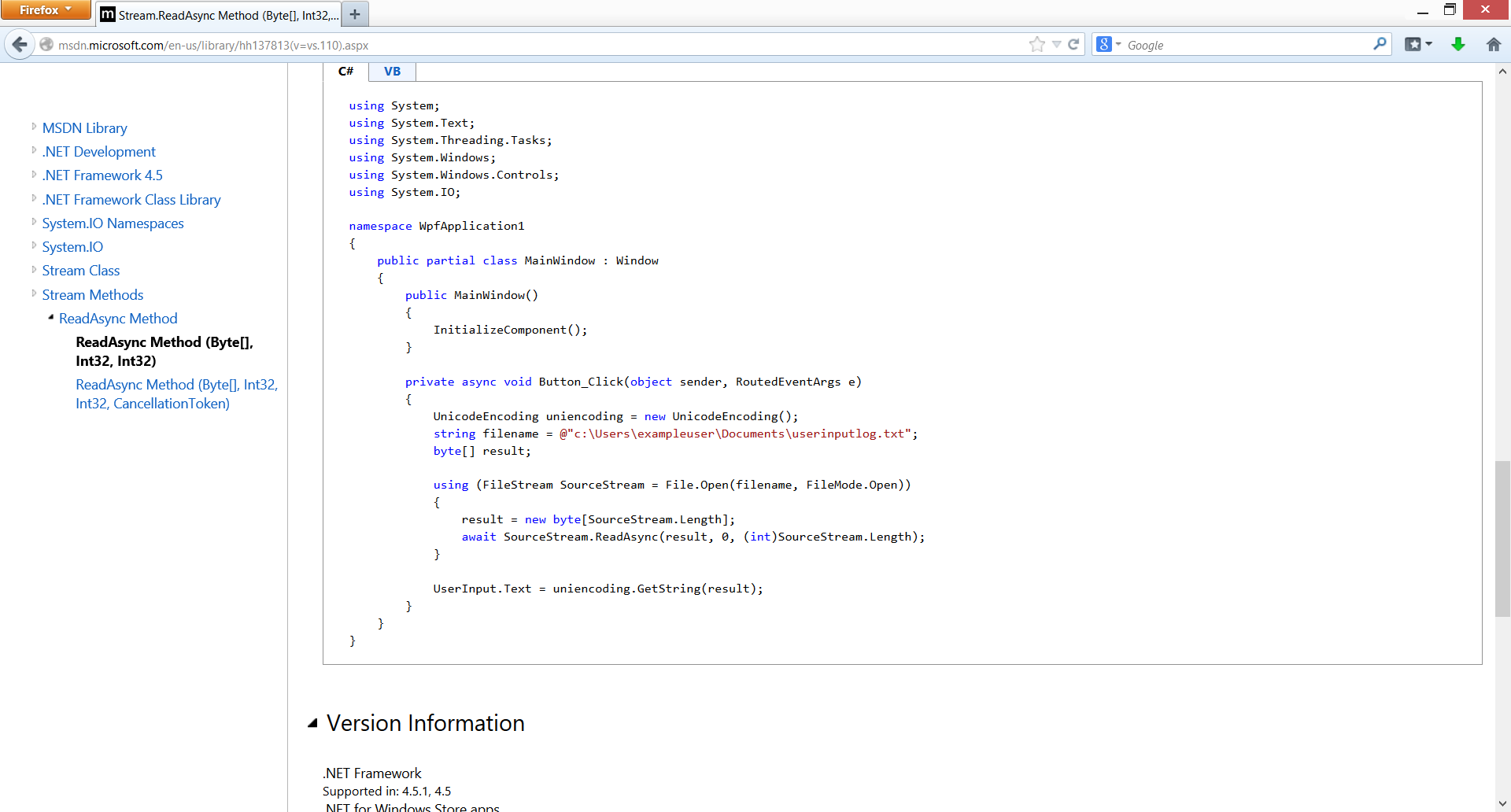
I don’t think this is a correct pattern and I quickly found at least two other MSDN resources that use explicit useAsync argument for the FileStream constructor:
In closing, I would say that simply using ReadAsync API doesn’t guarantee that the actual read operation would be executed in an asynchronous manner. You should be careful which FileStream constructor you use. Otherwise you could end up with a new thread that executes the I/O operation synchronously.